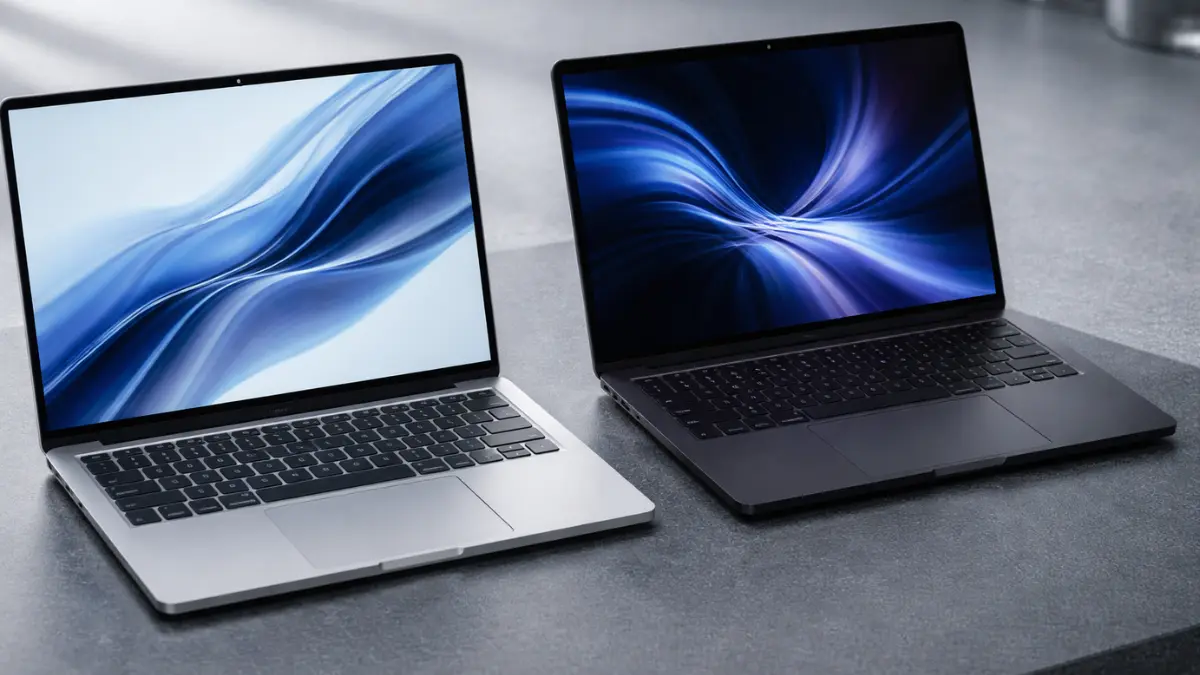
Both the MacBook Air M5 and MacBook Pro M5 launched in March 2026 and both run Apple’s M5 chip. The MacBook Air M5 starts at £1,099 for the 13-inch model. The MacBook Pro M5 starts at £1,699. That £600 gap is the question every Mac buyer in the UK is asking right now — and the answer is less obvious than it used to be. Apple’s Mac lineup now runs from the MacBook Neo at £599 through the Air to the Pro. Both the Air and Pro are available now from Amazon UK, Currys, and John Lewis.
At a Glance — Key Differences
| Spec | MacBook Air M5 | MacBook Pro M5 |
|---|---|---|
| UK Starting Price | £1,099 (13″) / £1,299 (15″) | £1,699 (14″) |
| Display | 13.6″ / 15.3″ Liquid Retina | 14.2″ Liquid Retina XDR |
| Brightness | 500 nits | 1,000 nits (1,600 nits HDR) |
| Refresh Rate | 60Hz | ProMotion up to 120Hz |
| Chip | M5 (8 or 10-core GPU) | M5 (10-core GPU standard) |
| Cooling | Fanless — passive | Active fan cooling |
| Ports | 2× Thunderbolt 4 + MagSafe | 3× Thunderbolt 5 + HDMI + SD + MagSafe |
| Wi-Fi | Wi-Fi 7 (N1 chip) | Wi-Fi 6E (base M5 model) |
| Battery | Up to 18 hours | Up to 24 hours |
| Weight | 1.24kg (13″) / 1.51kg (15″) | 1.55kg |
| Base storage | 512GB SSD | 1TB SSD |
| Colours | Sky Blue, Midnight, Starlight, Silver | Space Black, Silver |
Design and Display
Both laptops share Apple’s flat-sided aluminium chassis, but the similarities end there. The MacBook Air is the thinner and lighter machine — the 13-inch measures 1.13cm thick and weighs 1.24kg. For commuters, students, and people working across multiple locations, that difference is genuinely felt over the course of a day. The 15-inch Air at 1.51kg is actually lighter than the Pro at 1.55kg, despite being the physically larger machine.
The display gap is more meaningful than the size difference. The MacBook Air carries a 500-nit Liquid Retina display — bright, accurate, and excellent for everyday use. The MacBook Pro upgrades to a Liquid Retina XDR panel with 1,000 nits sustained brightness, 1,600 nits peak HDR, and ProMotion adaptive refresh up to 120Hz. Outdoors, in bright office lighting, or for HDR photo and video work, the Pro’s display is noticeably better. For spreadsheets, documents, and casual browsing, the Air’s panel is more than sufficient.
According to Apple’s tech specs, the base MacBook Pro M5 uses Wi-Fi 6E, while the MacBook Air M5 gets Wi-Fi 7 via Apple’s N1 wireless chip. If Wi-Fi 7 connectivity is important to you, the Air actually has the edge — the Pro only gains Wi-Fi 7 at M5 Pro and M5 Max tier.
Performance and Cooling
On paper, both machines run the same M5 chip with a 10-core CPU. Short-burst performance — web browsing, document editing, email, Zoom calls, light photo editing — is essentially identical between the two. You will not notice a difference in everyday tasks.
The gap opens under sustained load. The MacBook Air is fanless, relying entirely on passive cooling. When you push it hard for extended periods — long video exports, code compilation, rendering large files — it will eventually throttle to protect the chip. The throttling is less dramatic than on older Intel Macs, but it is real and measurable. The MacBook Pro’s active cooling fan kicks in to maintain full performance over longer workloads. For professionals whose work genuinely demands sustained output, this is where the Pro earns its premium.
Base storage is another practical advantage: the Pro ships with 1TB as standard versus 512GB on the Air. Both can be configured to 4TB, but starting at 1TB matters for users who keep large media libraries or work with big project files locally.
Ports and Connectivity
For many users, the port selection is the most immediately practical difference. The MacBook Air has two Thunderbolt 4 ports and MagSafe charging — that is your full I/O complement. If you need to connect a monitor, an external drive, and charge simultaneously, you will need a dock.
The MacBook Pro adds a third Thunderbolt port (upgraded to Thunderbolt 5 on Pro and Max models), an HDMI 2.1 port, and an SDXC card slot. For photographers shooting RAW files, video editors working with external drives, or anyone running a multi-display desk setup, these ports remove friction from the daily workflow. No dock required.
UK Price and Value
The pricing structure for the full M5 Mac range is now clear:
- MacBook Neo: £599 — basic computing, entry Apple Silicon
- MacBook Air M5 13-inch: £1,099 — the balanced choice
- MacBook Air M5 15-inch: £1,299 — more screen, same performance
- MacBook Pro M5 14-inch: £1,699 — pro display, cooling, ports
- MacBook Pro M5 Max 14-inch: £3,599 — content creation powerhouse
At £1,099, the Air M5 represents the strongest value in Apple’s current UK laptop range for the majority of buyers. At £1,699, the Pro is asking for £600 more for a better display, active cooling, and more ports. That is a legitimate premium — but only if those features map onto your actual work.
Check the latest prices on both at Amazon UK: MacBook Air M5 on Amazon UK and MacBook Pro M5 on Amazon UK.
Which Should You Buy?
Buy the MacBook Air M5 at £1,099 if:
- Your work is everyday tasks — writing, browsing, video calls, light creative
- Portability matters — you move around frequently
- You rarely hit sustained heavy workloads
- You want four colour options including Sky Blue
- Budget is a genuine consideration
Buy the MacBook Pro M5 at £1,699 if:
- You regularly export video, compile code, or run long renders
- You need HDMI or an SD card slot without a dock
- You work in bright environments where display brightness matters
- You shoot RAW photos and want native SD card transfer
- You run a multi-display desk setup
For most UK buyers — students, writers, designers doing light creative work, business users — the MacBook Air M5 at £1,099 is the correct answer. The M5 chip is powerful enough for everything the majority of people do with a laptop, and the Air delivers that in a lighter, quieter, and more portable package.
The MacBook Pro M5 is the right machine for those who will genuinely push it. If sustained performance, a reference-grade display, and a proper port selection are requirements rather than nice-to-haves, the £600 premium is justified. If you’re still deciding between Mac generations, our guide to the MacBook Air M5 vs M4 covers the generational upgrade reasoning that applies equally across the M5 Mac range.
Some links in this article are affiliate links. If you make a purchase, SpecShift may earn a small commission at no extra cost to you.